hover over
US
・UK
A2 初級
phr. v.片語動詞將滑鼠游標停留在...上方
Hover your mouse over the icon to see a description.
phr. v.片語動詞盤旋在...上方
The security guard hovered over the expensive jewelry display.
影片字幕
你以為的划算其實根本不划算?!好市多比你想像的還要浪費錢! (Food Theory: Costco DOESN’T Save You Money!)
13:53
- Just leave your manners at the door and hover over that sample table like the pizza vulture that you are.
只要把你的禮儀留在門口,然後像比薩禿鷹一樣懸停在樣品台上即可。
開始使用SketchUp - 第二部分 (Getting started with SketchUp - Part 2)
08:12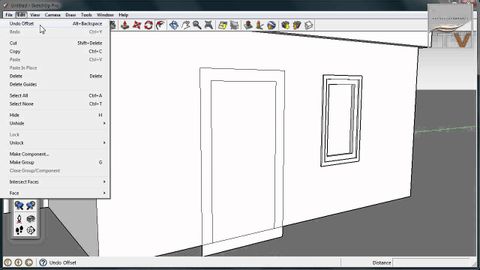
- Use the line tool and start drawing a line from this edge. Now hover over the roof edge
運用線條工具從這條邊線開始繪製一條線 現在將游標停留在屋頂
- meet up. Click to finish that edge, then continue drawing and hover over the far roof line to
按一下即可完成繪製邊線 然後繼續繪製並將游標停留在遠端
缺少性愛的關係 (The Sex-Starved Relationship)
05:46
- the angels of relationships hover over the bedroom
守護關係的天使就會在床鋪上盤旋
谷歌幻燈片。幻燈片之間的鏈接 (Google Slides: Linking Between Slides)
03:58
- This technique allows you to turn any part of your slide into a link in the toolbar, click shape, hover over shapes and choose the circle, Then click and drag to draw the shape.
這個技巧可以讓你把幻燈片的任何部分變成工具欄中的鏈接,點擊形狀,懸停在形狀上,選擇圓圈,然後點擊並拖動來繪製形狀。
- Notice how the cursor changes when I hover over Jupiter and when I click, it takes me to the Jupiter slide.
請注意,當我將鼠標懸停在木星上時,遊標是如何變化的,當我點擊時,它將我帶到木星幻燈片。
谷歌文檔。添加引文 (Google Docs: Adding Citations)
02:00
- P A and Chicago to create the citation, hover over the result that you want and click the quotation mark.
P A和芝加哥創建引用,將鼠標懸停在你想要的結果上,然後點擊引號。
14分鐘內,WWDC上的45個蘋果新功能。 (45 New Apple Features From WWDC In 14 Minutes)
13:56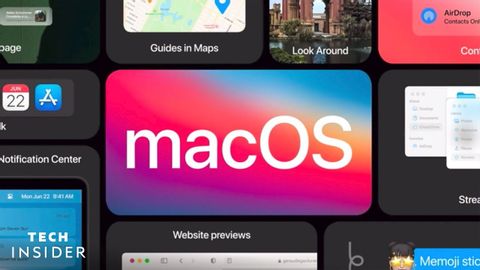
- You can just hover over tabs and see a nice preview of the page.
你只需將鼠標懸停在標籤上,就能看到一個漂亮的頁面預覽。
問答。你是如何賺取MONEY的?你想要孩子嗎?未來的旅行和生活計劃? (Q&A: HOW do you make MONEY?? Do you WANT KIDS?? TRAVEL & LIFE PLANS for the FUTURE??)
25:42
- obviously since we're on this dress shirt that I was able to just hover over
顯然,因為我們穿著這件衣服 我剛剛能夠懸停的襯衫
如何使用Spotify (How To Use Spotify)
10:53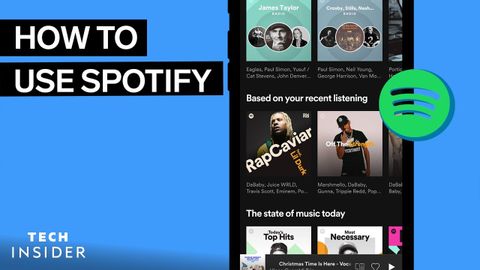
- Hover over the song you want and click on the Three Dots icon.
將鼠標懸停在你想要的歌曲上,點擊三點圖標。
- Hover over the song and play icon will appear.
將鼠標懸停在歌曲上,會出現播放圖標。
谷歌文檔。使用風格 (Google Docs: Working With Style(s))
03:45
- Then, while the text is still selected, click the styles drop down, hover over, heading one and click Update heading one to match.
然後,當文本仍被選中時,單擊樣式下拉,懸停在標題一上,單擊更新標題一以匹配。
- Change the font size, go to the styles, drop down, hover over normal text and select update normal text to match.
改變字體大小,進入樣式,下拉,懸停在正常文字上,選擇更新正常文字匹配。
谷歌文檔:頁眉和頁腳 (Google Docs: Headers and Footers)
03:03
- Another way is to go to insert hover over headers and footers, then select either header or footer.
另一種方法是去插入懸停在頁眉和頁腳,然後選擇頁眉或頁腳。
- Goto insert hover over page numbers, then select the style that you want.
轉到插入懸停在頁碼上,然後選擇你想要的樣式。