exponent
US /ɪkˈsponənt, ˈɛkˌsponənt/
・UK /ɪkˈspəʊnənt/
C1 高級
n. (c.)可數名詞指數 ; 說明者 ; 說明物 ; 說明的
He was an exponent of consistent exercise
影片字幕
歐拉公式與群論入門! (Euler's formula with introductory group theory)
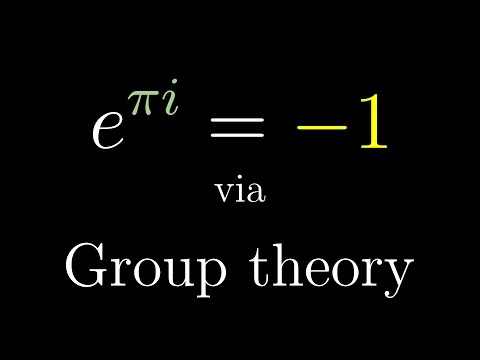
- I add two numbers in the exponent, say 2³ plus 5, this can be broken down as the product of 2³ times 2⁵.
我在指數中加上兩個數字,比如 2³ 加上 5,這可以分解為 2³ 乘以 2⁵ 的乘積。
- And a consequence of this, something you might call the exponential property, is that if I add two numbers in the exponent, say 2 to the 3 plus 5, this can be broken down as the product of 2 to the third times 2 to the 5.
但從更高層次上講,我認為這與所有指數函數都與自己的導數成正比有關,但 e 與 x 單獨成正比的函數實際上等於自己的導數。
這個古老的口哨語瀕臨失傳! (This ancient whistling language is in grave danger of dying out)

- Panniotis Bounossoussis is the youngest exponent.
Panniotis Bounossoussis 是最年輕的傳承者。
- Panniotis Bounossoussis is the youngest exponent.
Panniotis Bounossoussis 是最年輕的傳承者。
CS50 2016 - 第一週 - C 語言入門教學! (CS50 2016 - Week 1 - C)
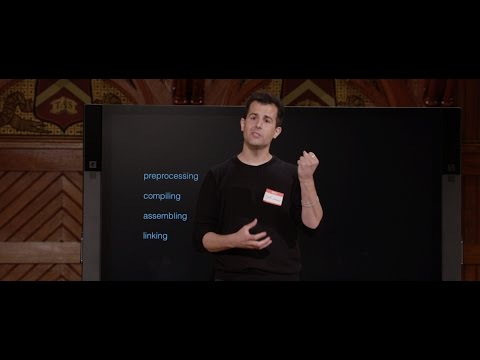
- And in fact we've seen syntax slightly like this briefly a cool trick is instead of writing all of this out you can actually say an n plus equals 1 or if you really want to be fancy you can say n plus plus semicolon but these latter two are just what we'd call syntactic sugar for the first thing the first thing is more explicit totally fine totally correct but this is more common I'll say so we'll do this for just a moment let's now make overflow which sounds rather ominous dot slash overflow all right let's see n's getting pretty big but let's think how big can n get n is an int we saw a moment ago with the size of example that an int is 4 bytes we know from last week 4 bytes is 32 bits because 8 times 4 that's 32 that's 4 woo that's going to be 4 billion and we are up to 800,000 all right this is going to take forever to count as high as I possibly can so I'm going to go ahead as you might before long and hit Control C frankly Control C a lot where Control C generally means cancel unfortunately because this is running in the cloud sometimes the cloud is spitting out so much stuff so much output it's going to take a little while for my input to get to the cloud so even though I hit Control C a few seconds ago this is definitely the side effect of an infinite loop and so in such cases we're going to kind of leave that be and we're going to add another terminal window over here with the plus which of course doesn't like that since it's still thinking all right and let's go ahead and be a little more reasonable I'm going to go ahead and do this only finitely many times let's use a for loop which I alluded to earlier let's do this give me another variable int i gets 0 i is less than let's say 64 i plus plus all right and now let me go ahead and print out n is percent i comma n and then n you know what this is still going to take forever let's do this n gets n times 2 or we could be fancy and do times equals 2 but let's just say n equals itself times 2 in other words in this new version of the program I don't want to wait forever from like 800,000 to 4 billion let's just get this over with let's actually double n each time which recall doubling is the opposite of having of course and whereas last week we have something again and again and again super fast doubling will surely get us from 1 to the biggest possible value that we can count to with an int so let's do exactly this and we'll come back to this before long but this again is just like the repeat block in Scratch and you'll use this before long this just means count from 0 up to but not equal to 64 and on each iteration of this loop just keep counting keep incrementing i so i plus plus and this general construct on line 7 is just a super common way of repeating some lines of code some number of times which lines of code these curly braces as you may have gleaned from now means do the following it's in like Scratch when it has like the yellow blocks and other colors that kind of embrace or hug other blocks that's what those curly braces are doing here so if I got my syntax right okay you can see the carrot symbol in C means that's how many times I was trying to solve this problem so let's get rid of that one altogether and close that window and we'll use the new one make overflow dot slash overflow enter all right looks bad at first but let's scroll back in time because I did this 64 times and notice the first time n is 1 second time n is 2 then 4 then 8 then 16 and it seems that as soon as I get to roughly 1 billion if I double it again that should give me 2 billion but it turns out it's right on the cusp and so it actually overflows an int from 1 billion to roughly 2 negative 2 billion because indeed an integer unlike the numbers we were assuming last we can be both positive and negative in reality in a computer and so at least one of those bits is effectively stolen so we really only have 31 bits or 2 billion possible values but for now the takeaway is quite simply whatever these numbers are and whatever the math is something bad happens eventually because eventually you are trying to permute the bits one too many times and you effectively go from all 1s to maybe all 0s or maybe just some other pattern that it clearly depending on context can be interpreted as a negative number and so it would seem the highest I can count in this particular program is only roughly 1 billion but there's a partial solution here you know what let me change from an int to a long long and let me go ahead here and say I'm going to have to change this to an unsigned long or let's see I never remember myself let's go ahead and make overflow nope that's not it LLD thank you so sometimes Kling can be helpful I did not remember what the format specifier was for a long long but indeed Kling told me green is kind of good still means you made a mistake it's guessing that I meant LLD so let me take its advice a long long decimal number save that and let me rerun it dot slash overflow enter and now what's cool is this if I scroll back in time we still start counting at the same place 1 2 4 8 16 notice we get all the way up to 1 billion but then we safely get to 2 billion then we get to 4 billion then 8 billion 17 billion and we go higher and higher and higher eventually this 2 breaks eventually with a long long which is a 64 bit value not a 32 bit value if you count too high you wrap around 0 and in this case we happen to end up with a negative number so this is a problem and it turns out that this problem is not all that arcane even though I've deliberately induced it with these mistakes it turns out we see it kind of all around us or at least some of us do so in Lego Star Wars if you've ever played the game it turns out you can go around playing breaking things up in Lego World and collecting coins essentially and if you've ever played this game way too much time as this unnamed individual here did the total number of coins that you can collect is it would seem 4 billion now it's actually rounded so Lego was trying to keep things user friendly and they didn't do it exactly 2 to the 32 power per last week but 4 billion is a reason it seems based on this information that Lego and the company that made this actual software decided that you know what the maximum number of coins the user can accumulate is indeed 4 billion because they chose in their code to use not not a long long apparently but just an integer an unsigned integer only a positive integer whose max value is roughly that well here's another funny one so in the game Civilization which some of you might be familiar with it turns out that years ago there was a bug in this game whereby if you played the role of Gandhi in the game instead of him being very pacifist instead was incredibly incredibly aggressive in some circumstances in particular the way that Civilization works is that if you the player adopt democracy your aggressiveness score gets decremented by 2 so minus minus and then minus minus so you subtract 2 from your actual rating unfortunately if your rating is initially 1 and you subtract 2 from it after adopting democracy as Gandhi here might have done because he was very passive 1 on the scale of aggressiveness but if he adopts democracy then he goes from 1 to negative 1 unfortunately they were only using unsigned or rather they were using unsigned numbers which means they treated even negative numbers as they were positive and it turns out that the positive equivalent of negative 1 in typical computer programs is 255 so if Gandhi adopts democracy and therefore has his aggressiveness score decreased it actually rolls around to 255 and makes him the most aggressive character in the game so you can Google up on this and it was indeed an accidental programming bug but that's entered quite the lore ever since that's all fun and cute more frightening is when actual real world devices and not games have these same bugs in fact just a year ago did an article come out about the Boeing 787 Dreamliner and the article at first glance reads a little arcane but it said this a software vulnerability a software vulnerability in Boeing's new 787 Dreamliner jet has the potential to cause pilots to lose control of the aircraft possibly in mid-flight the FAA officials warned airlines recently it was the determination that a model 787 airplane that has been powered continuously for 248 days can lose all alternating current AC electrical power due to the generator control units GCUs simultaneously going into fail safe mode okay it's kind of losing me but the memo stated okay now I got that the condition is caused by a software counter internal to the generator control units that will overflow after 248 days of continuous power we are issuing this notice to prevent loss of all AC electrical power which could result in loss of control of the airplane so literally there is some integer or some equivalent data type being used in software in an actual airplane that if you keep your airplane on long enough which apparently can be the case if you're just running them constantly and never unplugging your airplane it seems or letting its batteries die will eventually count up and up and up and up and up and up and by nature of finite amounts of memory will overflow rolling back to 0 or some negative value a side effect of which is the frighteningly real reality that the plane might need to be rebooted effectively or might fall worse as it flies so these kinds of issues are still with us even this was a 2015 article all the more frightening when you don't necessarily understand appreciate or anticipate those kinds of errors so it turns out there's one other bad thing about data representation it turns out that even floats are kind of flawed right because floats too I proposed are 32 bits or maybe 64 if you use a double but that's still finite and the catch is that if you can put an infinite number of numbers after the decimal point there is no way you can represent all the possible numbers that we were taught in grade school can exist in the world a computer essentially has to choose a subset of those numbers to represent accurately now the computer can round maybe a little bit and can allow you to roughly estimate roughly store any number you might possibly want but just intuitively if you have a finite number of bits you can only permute them in so many finite ways so you can't possibly use a finite number of permutation of bits patterns of 0s and 1s to represent an infinite number of numbers which suggests that computers might very well be lying to us sometimes in fact let's do this let me go back into CS50 IDE and let me go ahead and create a little program called Imprecision to show that the computers are indeed imprecise and let me go ahead and start with some of that code from before and now just do the following let me go ahead and do printf percent f or rather let's say yep percent f backslash n 1 divided by 10 in other words let's dive in deeper to 1 tenth like 1 divided by 10 surely a computer can represent 1 tenth so let's go ahead and make Imprecision all right let's see format specifies type double but the argument has type int what's going on oh interesting so it's a lesson learned from before I'm saying hey computer show me a float with percent f but I'm giving it two ints so it turns out I can fix this in a couple of ways I could just turn 1 into 1.0 and 10 into 10.0 which would indeed have the effect of converting them into floats still hopefully the same number or it turns out there's something we'll see again before long you could cast numbers you can using this parenthetical expression you can say hey computer take this 10 which I know is an int but treat it please as though it's a float but this feels unnecessarily complex for our purposes today let's just literally make them floating point values with a decimal point like this let me go ahead and rerun make Imprecision good dot slash Imprecision enter okay we're looking good 1 divided by 10 according to my Mac here is indeed 0.10000 now I was taught in grade school there should be an infinite number of 0s so let's at least try to see some of those it turns out that printf is a little fancier still than we've been using it turns out you don't have to specify just percent f or just percent i you can actually specify some control options here specifically I'm going to say hey printf actually show me 10 decimal points so it looks a little weird but you say percent dot how many numbers you want to see after the decimal point and then f for float just because that's what the documentation says let me go ahead and save that oh and notice too I'm getting tired of retyping things so I am just hitting the up and down arrow on my keys here and indeed if I keep hitting up you can see all of the commands I made or incorrectly made and I'm going to go ahead now and not actually use that apparently make Imprecision dot slash Imprecision all right so what I was taught in grade school checks out even if I print it to 10 decimal places it indeed is 0.10000 but you know what let's get a little greedy let's say like show me 55 points after the decimal let's really take this program out for a spin let me remake it with make Imprecision dot slash Imprecision and here we go your childhood was a lie apparently 1 divided by 10 is indeed 0.100000000005551115123 what is going on well it turns out if you kind of look far enough out in the underlying representation of this number it actually is not exactly 1 tenth or 0.1 in an infinite number of 0s now why is that well even though this is a simple number to us humans 1 divided by 10 it's still one of infinitely many numbers that we could think up but a computer can only represent finitely many so numbers and so effectively what the computer is showing us is its closest approximation to the number we want to believe is 1 tenth or really 0.10000 ad infinitum rather though this is as close as it can get and indeed if you look underneath the hood as we are here by looking 55 points after the decimal number digits after the decimal we actually see that reality now as an aside if you've ever seen the movie most of you probably haven't but Superman 3 some years ago Richard Pryor essentially leveraged this reality in his company to steal a lot of fractions and fractions of pennies because the company as I recall it's been a while was essentially throwing away anything that didn't fit into the notion of sense but if you add up all these tiny tiny tiny numbers again and again and again you can as in his case make a good amount of money that same idea was ripped off by a more recent but still now older movie called Office Space where the guys in that movie did the same thing screwed it up completely ended up with way too much money in their bank account it was all very suspicious but at the end of the day Imprecision is all around us and that too can be frighteningly the case it turns out that Superman 3 and Office Space aside there can be some very real world ramifications of the realities of imprecise representation of data that even we humans to this day don't necessarily understand as well as we should or remember as often as we should and indeed the following clip is from a look at some very real world ramifications of what happens if you don't appreciate the imprecision that can happen in numbers representation computers we've all come to accept the often frustrating problems that go with them bugs viruses and software glitches are small prices to pay for the convenience but in high tech and high speed military and space program applications the smallest problem can be magnified into disaster on June 4th 1996 scientists prepared to launch an unmanned Arion 5 rocket it was carrying scientific satellites designed to establish precisely how the earth's magnetic field interacts with solar winds the rocket was built for the European Space Agency and lifted off from its facility on the coast of French Guiana at about 37 seconds into the flight they first noticed something was going wrong that the nozzles were swiveling in a way they really shouldn't around 40 seconds into the flight clearly the vehicle was in trouble and that's when they made a decision to destroy it the range safety officer with tremendous guts pressed the button blew up the rocket before it could become a hazard to public safety this was the maiden voyage of the Arion 5 and its destruction took place because of a flaw embedded in the rocket software the problem on the Arian was that there was a number that required 64 bits to express and they wanted to convert it to a 16 bit number they assumed that the number was never going to be very big that most of those digits in the 64 bit number were 0s they were wrong the inability of one software program to accept the kind of number generated by another was at the root of the failure software development had become a very costly part of new technology the Arion 4 rocket had been very successful so much of the software created for it was also used in the Arion 5 the basic problem was that the Arion 5 was faster accelerated faster and the software hadn't accounted for that the destruction of the rocket was a huge financial disaster all due to a minute software error but this wasn't the first time data conversion problems had plagued modern rocket technology in 1991 with the start of the first Gulf War the Patriot missile experienced a similar kind of number conversion problem and as a result 28 people 28 American soldiers were killed and about 100 others wounded when the Patriot which was supposed to protect against incoming scuds failed to fire a missile when Iraq invaded Kuwait and America launched Desert Storm in early 1991 Patriot missile batteries were deployed to protect Saudi Arabia and Israel from Iraqi scud missile attacks the Patriot is a US medium range surface to air system manufactured by the Raytheon Company the size of the Patriot interceptor itself is it's about roughly 20 feet long and it weighs about 2000 pounds and it carries a warhead of about I think it's roughly 150 pounds and the warhead itself is a high explosive which has fragments around it it's a it's a the casing of the warhead is designed to act like buckshot the missiles are carried four per container and are transported by a semi trailer the Patriot anti-missile system goes back at least 20 years now it was originally designed as an air defense missile to shoot down enemy airplanes in the first Gulf War when that war came along the army wanted to use it to shoot down scuds not airplanes the Iraqi Air Force was not so much of a problem but the army was worried about scuds and so they tried to upgrade the Patriot intercepting an enemy missile traveling at Mach 5 was going to be challenging enough but when the Patriot was rushed into service the army was not aware of an Iraqi modification that made their scuds nearly impossible to hit what happened is the the scuds that were coming in were unstable they were wobbling reason for this was the Iraqis in order to get 600 kilometers out of a 300 kilometer range missile took weight out of the front warhead they made the warhead lighter so now the Patriot's trying to come at the at the scud and most of the time the overwhelming majority of the time it would just fly by the scud once the Patriot system operators realized the Patriot missed its target they detonated the Patriot's warhead to avoid possible casualties if it was allowed to fall to the ground that was what most people saw as big fireballs in the sky and misunderstood as intercepts of scud warheads although in the night skies Patriots appeared to be successfully destroying scuds at Daharan there could be no mistake about its performance there the Patriot's radar system lost track of an incoming scud and never launched due to a software flaw it was the Israelis who first discovered that the longer the system was on the greater the time discrepancy became due to a clock embedded in the system's computer about two weeks before the tragedy in Darain the Israelis reported to the Defense Department that the system was losing time after about eight hours of running they noticed that the system was becoming noticeably less accurate the Defense Department responded by telling all of the Patriot batteries to not leave the systems on for a long time they never said what a long time was eight hours ten hours a thousand hours nobody knew the Patriot battery stationed at the barracks at Daharan and its flawed internal clock had been on over 100 hours on the night of February 25th it tracked time to an accuracy of about a tenth of a second now a tenth of a second is an interesting number because it can't be expressed in binary exactly which means it can't be expressed exactly in any modern digital computer it's hard to believe but use this as an example let's take the number one third one third cannot be expressed in decimal exactly one third is 0.333 going on for infinity there's no way to do that with absolute accuracy in decimal that's exactly the same kind of problem that happened in the Patriot the longer the system ran the worse the time error became after 100 hours of operation the error in time was only about one third of a second but in terms of targeting a missile traveling at Mach 5 it resulted in a tracking error of over 600 meters it would be a fatal error for the soldiers at Daharan what happened is a scud launch was detected by early warning satellites and they knew that the scud was coming in their general direction they didn't know where it was coming it was now up to the radar component of the Patriot system defending Daharan to locate and keep track of the incoming enemy missile the radar was very smart it would actually track the position of the scud and then predict where it probably would be the next time the radar sent a pulse out that was called the range gate then once the Patriot decides enough time has passed to go back and check the next location for this detected object it goes back so when it went back to the wrong place it then sees no object and it decides that there was no object it was a false detection and drops the track the incoming scud disappeared from the radar screen and seconds later it slammed into the barracks the scud killed 28 and was the last one fired during the first Gulf War tragically the updated software arrived at Daharan the following day the software flaw had been fixed closing one chapter in the troubled history of the Patriot missile so this is all to say that these issues of overflow and imprecision are all too real so how did we get here well we began with just talking about printf again this function that prints something to the screen and we introduced thereafter a few other functions from the so-called CS50 library and we'll continue to see these in due time and we particularly used get string and get int and now also get float and yet others still will we encounter and use ourselves before long but on occasion have we already seen a need to store what those functions hand back they hand us back a string or an int or a float and sometimes we need to put that string or int or float somewhere and to store those things recall just like in Scratch we have variables but unlike in Scratch in C we have actual types of variables data types more generally among them a string an int a float and these others still and so when we declare variables in C we'll have to declare our data types this is not something we'll have to do later in the semester as we transition to other languages but for now we do need to a priori in advance explain to the computer what type of variable we want it to give us now meanwhile to print those kinds of data types we have to tell printf what to expect and we saw percent s for strings and percent i for integers and a few others already and those are simply requirements for the visual presentation of that information and each of these can actually be parameterized or tweaked in some way if you want to further control the type of output that you get and in fact it turns out that not only is there backslash n for a new line there's something else called backslash r for a carriage return which is more akin to an old school typewriter and also Windows used for many years there's backslash t for tabs turns out that if you want a double quote inside of a string recall that we've used double quote double quote on the left and the right ends of our strings thus far that would seem to confuse things if you want to put a double quote in the middle of a string and indeed it is confusing to see and so you have to escape so to speak a double quote with something like literally backslash double quote and there's a few others still and we'll see more of those in actual use before long so let's now transition from data and representation and arithmetic operators all of which gave us some building blocks with which to play but now let's actually give us the rest of the vocabulary that we already had last week with Scratch by taking a look at some other constructs in C not all of them but indeed the ideas we're about to see really are just to emphasize the translation from one language Scratch to another C and over time we'll pick up more tools for our toolkit so to speak syntactically and indeed you'll see that the ideas are now rather familiar from last week so let's do this let's go ahead and whip up a program that actually uses some expressions a Boolean expression let me go ahead here and create a new file I'll call this conditions.c let me go ahead and include the CS50 library let me go ahead and include standardio.h for our functions and printf and more respectively let me give myself that boilerplate of int main void whose explanation we'll come back to in the future now let me go ahead and give myself an int via get int then let me go ahead and do this if I want to say if i is less if let's distinguish between positive negative or zero values so if i is less than zero let me just have this program print at least simply say negative backslash n else if i is greater than zero now I'm of course going to say printf positive backslash n and then else if I could do this I could do if i equals zero but I'd be making at least one mistake already recall that the equal sign is not equal as we humans know it but it's the assignment operator and we don't want to take zero on the right and put it in i on the left so to avoid this confusion or perhaps misuse of the equal sign humans decided some years ago that in many programming languages when you want to check for equality between the left and the right you actually use equals equals so you hit the equal sign twice when you want to assign from right to left you use a single equal sign so we could do this else if i equals equals zero I could then go and open my curly braces and say printf zero backslash n done but remember how these forks in the road can work and really just think about the logic i is a number it's an integer specifically and that means it's going to be less than zero or greater than zero or zero so there is kind of this implied default case and so we could just like Scratch you know dispense with the else if and just say else right if logically you the programmer know there's only three buckets into which a scenario can fall the first the second or the third in this case don't bother adding the additional precision and the additional logic there just go ahead with the default case here of else now let's go ahead and after saving this make conditions.c conditions not a great user interface because I'm not prompting the user as I mentioned earlier but that's fine we'll keep it simple let's try the number 42 and that's positive let's try the number negative 42 negative let's try the value zero and indeed it works now you'll see with problems that's problems before long testing things three times probably not sufficient you probably want to test some bigger numbers some smaller numbers some corner cases as we'll come to describe them but for now this is a pretty simple program and I'm pretty sure logically that it falls into three cases and indeed even though we just focused on the potential downsides of imprecision and overflow in reality where many of CS50's problems we are not going to worry about all the time those issues of overflow and imprecision because in fact in C it's actually not all that easy to avoid those things if you want to count up bigger and bigger and bigger turns out there are techniques you can use often involving things called libraries collections of code that other people wrote that you can use and other languages like Java and others actually make it a lot easier to count even higher so it really is some of these dangers a function of the language you use and indeed in the coming weeks we'll see how dangerous C really can be if you don't use it properly but from there and with Python and JavaScript will we layer up on some additional protections and run fewer of those risks all right so let's make a little more interesting logic in our programs let me go ahead and create a program called logical just so I can play with some actual logic logical.c let's just copy and paste some code from earlier so I get back to this nice starting point and now let me go ahead and do this let me this time do char C I'm just going to give it a name of C just because it's conventional get a character from the user and let's pretend like I'm implementing part of that RM program the remove program before that prompted the user to remove a file how could we do this I want to say if C equals equals quote unquote y then I'm going to assume that the user has chosen yes and I'm just going to print yes if we're actually writing the removal program we could remove the file with more lines of code but we'll keep it simple else whoops off by one error there else if C equals equals n and now here I'm going to say the user must have meant no and then else you know what I don't know what else the user is going to type so I'm just going to say that that is an error whatever he or she actually typed so what's going on here there is a fundamental difference versus what I've done in the past double quotes double quotes double quotes and yet single quotes single quotes it turns out in C that when you want to write a string you do indeed use double quotes just as we've been using all this time with printf but if you want to deal with just a single character a so-called char then you actually use single quotes those of you who've programmed before you might not have had to worry about this distinction in certain languages in C it does matter and so when I get a char and I want to compare that char using equals equals to some letter like y or n I do indeed need to have the single quotes now let's go ahead and do this let's go ahead and do make logical.c logical and now I'm being prompted so presumably a better user experience would actually tell me what to do here but I'm going to just blindly say y for yes okay nice let's run it again n for no nice all right suppose like certain people I know my caps lock key is on all too often so I do capital Y enter error okay it's not exactly what I'm expecting indeed the computer is doing literally what I told it to do check for lowercase y and lowercase n this doesn't feel like good user experience so let me ask for and accept either lowercase or uppercase so it turns out you might want to say something like in Scratch like literally or C equals equals capital single quoted Y turns out C does not have this literal keyword or but it does have two vertical bars you have to hold shift usually if you're using a US keyboard and hit the vertical bar key on above your return key but this vertical bar vertical bar means or if by contrast we wanted to say and like in Scratch we could do ampersand ampersand that makes no logical sense here because a human could not possibly have typed both y and capital lowercase y and capital Y as the same character so or is what we intend here so if I do this in both places or C equals equals capital N now rerun make logical rerun logical now I can type Y and I can do it again with capital Y or capital N and I could add in additional combinations still so this is a logical program in so far as now I'm checking logically for this value or this value and I don't have to necessarily come up with like two more ifs or else ifs I can actually combine some of the related logic together in this way so this would be better designed than simply saying if C equals lowercase y print yes else if C equals capital Y print yes else if C equals lower in other words you don't have to have more and more branches you can combine some of the equivalent branches logically as in this way all right so let's take a look at just one final piece one final ingredient one final construct that C allows and we'll come back in the future to others still and then we'll conclude by looking at the not the correctness of code getting code to work but the design of code and plant those seeds early on so let me go ahead and open up a new file here and you know what I'm going to reimplement that same program but using a different construct let me quickly give myself access to include CS50.h for the CS50 library standardio.h for printf give me my int main void and then over here let me go ahead and do this char C gets get char just like before and I'm going to use a new construct now switch on what character so switch is kind of like a switch in a train tracks or really it is kind of an if else if else if but written somewhat differently a switch looks like this you have switch and then what character or number you want to look at then some curly braces like in Scratch to say do this stuff and then you have different cases you don't use if and else you literally use the word case and you would say something like this so in the case of a lowercase y or in the case of a capital Y go ahead and print out yes and then break out of this switch that's it we're done else if so to speak lowercase n or capital N then go ahead and print out no and then break else and this kind of is the default case indeed printf error and just for good measure though logically this break is not necessary because we're at the end of the switch anyway I'm now breaking out of the switch so this looks a little different but logically it's actually equivalent and why would you use one over the other sometimes just personal preference sometimes the aesthetics if I glance at this now there's something to be said for the readability of this code I mean never mind the fact that this code is new to many of us in the room but it just kind of is pretty right like you see case lowercase y capital Y lowercase n capital N default it just kind of jumps out at you in a way that arguably maybe the previous example with the ifs and the vertical bars and the else ifs might not have so this is really a matter of how of personal choice really or readability of the code but in terms of functionality let me go ahead and make switch.c switch and now type in lowercase y capital Y lowercase n capital N and David retry because that's not a single character let's do X error as expected and logically and this is something I would encourage in general even though we're only scratching the surface of some of these features and it might not be obvious when you yourself sit down at the keyboard oh how does this work what would this do the beautiful thing about having a laptop or desktop or access to a computer with a compiler and with a code editor like this is you can almost always answer these questions for yourself just by trying for instance if the rhetorical question at hand were what happens if you forget your break statements which is actually a very common thing to do because it doesn't look like you really need them they don't really complete your thought like a parenthesis or a curly brace does let's go ahead and recompile the code and see so make switch.c switch let's type in lowercase y the top case enter haha yeah so I typed Y the program said yes no error as though like it was changing its mind but it kind of was because what happens with a switch is the first case that match essentially means hey computer execute all of the code beneath it and if you don't say break or don't say break or don't say break the computer is just going to blow through all of those lines and execute all of them until it gets to that curly brace so the breaks are indeed necessary but a takeaway here is when in doubt try something maybe save your code first or save it in an extra file if you're really worried about messing up and having to recover the work that you know is working but try things and don't be as afraid perhaps of what the computer might do or that you might break something you can always revert back to some earlier version all right so let's end by looking at the design of code we have this ability now to write conditions and write loops and variables and call functions so frankly we're kind of back at where we were a week ago with Scratch albeit with a less compelling textual environment than Scratch allows but notice how quickly we've acquired that vocabulary even if it's going to take a little while to sink in so that we can now use this vocabulary to write more interesting programs and let's take a baby step toward that as follows let me go ahead and create a new file here I'm going to call this prototype.c and introduce for the first time the ability to make your own functions some of you might have done this with Scratch whereby you can create your own custom blocks in Scratch and then drag them into place wherever you'd like in C and in most programming languages you can do exactly that make your own functions if they don't already exist so for instance let me go ahead and include CS50.h and include standardio.h int main void and now we have a placeholder ready to go you know I keep printing things like people's names today and that feels like it wouldn't it wouldn't it be nice if there were a function called print name I don't have to use printf I don't have to remember all the format codes why don't I or why didn't someone before me create a function called print name that given some name simply prints it out in other words if I say hey computer give me a string by asking the user for such via CS50's get string function hey computer put that string in the variable on the left hand side and call it S and then hey computer go ahead and print that person's name done now it would be nice because this program aptly named tells me what it's supposed to do by way of those functions names let me go ahead and make prototype enter and unfortunately this isn't going to fly prototype.c line 7 character 5 error implicit declaration of function print name is invalid in C99 C99 meaning a version of C that came out in 1999 that's all so I don't know what all of this means yet but I do recognize error in red that's pretty obvious and it seems that with the green character here the issue is with print name open parent S close parent semicolon but implicit declaration of function we did see briefly earlier this means simply that clang does not know what I mean I've used a vocabulary word that it's never seen or been taught before and so I need to teach it what this function means so you know what I'm going to go ahead and do that I'm going to go ahead and implement my own function called print name and I'm going to say as follows that it does this printf hello percent S backslash N name semicolon so what did I just do so it turns out to implement your own function we kind of borrow some of the same structure as main that we've just been taking for granted and I know just copying and pasting pretty much what I've been writing in the past but notice the pattern here int main void we'll tease apart before long what that actually means but for today just notice the parallelism void print name string name so there's like a purple keyword which we're going to start calling a return type the name of the function and then the input so actually we can distill this kind of like last week as this is the name or the algorithm of the code we're going to write the algorithm underlying the code we're going to write this is its input this is its output this function print name is designed to take a string called name or whatever as input and then void it doesn't return anything like get string or get int us so it's not going to hand me something back it's just going to have a side effect so to speak of printing a person's name so notice line 7 I can call print name line 10 I can define or implement print name but unfortunately that's not enough let me go ahead and recompile this after saving ho ho now I have made it worse it would seem so implicit declaration of function print name is invalid and again there's more errors but as I cautioned earlier even if you get overwhelmed with or a little sad to see so many errors focus only on the first initially because it might just have had a cascading effect so C or clang specifically still does not recognize print name and that's because clang by design is kind of dumb it only does what you tell it to do and it only does so in the order in which you tell it to do so I have defined main on line 4 like we've been doing pretty often I've defined print name on line 10 but I'm trying to use print name on line 7 it's too soon it doesn't exist yet so I could be clever and be like okay so let's just play along and move print name up here and recompile oh my god it worked it was as simple as that but the logic is exactly that you have to teach clang what it is by defining the function first then you can use it but frankly this feels like a slippery slope so every time I run into a problem I'm just going to like highlight and copy the code I wrote cut it and paste it up here and surely we could contrive some scenarios where one function might need to call another and you just can't put every function above every other so it turns out there's a better solution we can leave this be and frankly it's generally nice and convenient and good design to put main first because again main just like when green flag clicked that is the function that gets executed by default so you might as well put it at the top of the file so that when you or any other human looks at the file you know what's going on just by reading main first so it turns out we can tell main proactive or tell clang proactively hey clang on line 4 I promised to implement a function called print name that takes a string called name as input and returns nothing void and I'll get around to implementing it later here comes main main now on line 9 can use print name because clang is trusting that eventually it will encounter the definition of the implementation of print name so after saving my file let me go ahead and make prototype looks good this time dot slash prototype and let me go ahead and type in a name David hello David Zamila hello Zamila and indeed now it works so the ingredient here is that we've made a custom function like a custom Scratch block we're calling it but unlike Scratch we can just create it and start using it now we have to be a little more pedantic and actually train clang to use or to expect it now as an aside why all this time have we been just blindly on faith including CS50.h and including standardio.h well it turns out among a few other things all that's in those dot h files which happen to be files they're header files so to speak they're still written in C but they're a different type of file for now you can pretty much assume that all that is inside of CS50.h is some one liners like this not for functions called print name but for get string get int get float and a few others and there are similar prototypes one liners inside of standardio.h for printf which is now in my own print name function so in other words this whole time we've just been blindly copying and pasting include this include that what's going on those are just kind of clues to clang as to what functions are indeed implemented just elsewhere in different files elsewhere on the system all right so we've implemented print name it does have this side effect of printing something to the screen but it doesn't actually hand me something back how do we go about implementing a program that does hand me something back well let's try this let me go ahead and implement a file called return.c so we can demonstrate how something like get string or get int is actually returning something back to the user but let's go ahead and define int main void and again in the future we'll explain what that int and that void is actually doing but for today we'll take it for granted I'm going to go ahead and printf for a good user experience X is and then I'm going to wait for the user to give me X with get int and then I'm going to go ahead and print out X to the square so when you only have a keyboard people commonly use the little carrot symbol on the keyboard to represent to the power of or the exponent of so X squared is percent I and now I'm going to do this I could just do what's X squared well X squared is X times X and we did this some time ago already today this doesn't feel like all that much progress you know what let's leverage some of that idea from last time of abstraction wouldn't it be nice if there's a function called square that does exactly that it's still at the end of the day does the same math but let's abstract away the idea of taking one number multiplied by another and just give it a name like square this value and in other words in C let's create a function called square that does exactly that it's going to be called square it's going to take an int and we'll just call it N by default but we could call it anything we want and all that it's going to do literally is return the result of N times N but being cut because it is returning something which was the keyword in purple we've never seen before I on line 11 can't just say void this time void in every example in the example we just saw rather of print name just means eh do something but don't hand me something back in this case I do want to return N times N or whatever that is that number so I can't say hey computer I return nothing void it's going to return by nature an int and so that's all that's going on here the input to square is going to be an int and so that we can use it it has to have a name N it's going to output an int that doesn't need a name we can leave it to main or whoever's using me to remember this value if we want with its own variable and again the only new keyword here is return and I'm just doing some math if I really wanted to be sort of unnecessary I could say int product gets N times N and then I could say return product but again to my point earlier of this just not being good design like why introduce a name a symbol like product just to immediately return it it's a little cleaner a little tighter so to speak just to say return N times N get rid of this line altogether and it's just less code to read less opportunity for mistakes and let's see if this actually now works now I'm going to go ahead and make return uh oh implicit oh implicit declaration of function I made this mistake before no big deal let me just type or highlight and copy the exact same function prototype or signature of the function up here or I could move the whole function but that's a little lazy so we won't do that now let me make return again dot slash return X is 2 X squared is 4 X is 3 X squared is 9 and the function seems now to be working so what's the difference here I have a function that's called square in this case which I put in an input and I get back an output and yet previously if I open the other example from earlier which was called prototype.c I had print name which returned void so to speak or it returned nothing and simply had a side effect so what's going on here well consider the function get string for just a moment we've been using the function get string in the following way we've had a function get string like include CS50.h include standardio.h int main void and then every time I've called get string thus far I've said something like string S gets get string because get string let's call this get.c get string itself returns a string that I can then use and say hello comma percent S backslash N S so this is the same example really that we had earlier so get string returns a value but a moment ago print string does not return a value it simply has a side effect so this is a fundamental difference we've seen a different types of functions now some of which have returned values some of which don't so maybe it's string or int or float or maybe it's just void and the difference is that these functions that get data and return a value are actually bringing something back to the table so to speak so let's go ahead and look at one final set of examples that gives a sense now of how we might indeed abstract better and better and better or more and more and more in order to write ultimately better code let's go ahead and in the spirit of Scratch do the following let me go ahead and include CS50.h and standardio.h let me go ahead and give myself an int main void and let me go ahead call this cough.c and let me go ahead and just a la Scratch print out cough backslash N and I want to do this three times so I'm of course just going to copy and paste three times I'm now going to make cough dot slash cough or couch cough let's give myself a little more room here enter cough cough cough all right there's obviously already an opportunity for improvement I've copied and pasted a few times today but that was only so I didn't have to type as many characters I still changed what those lines of code are these three lines are identical which feels lazy and indeed is and is probably not the right approach so with what ingredient could we improve this code right we could we don't have to copy and paste code and indeed anytime you feel yourself copying and pasting and not even changing code odds are there's a better way and indeed you know there is let me go ahead and do a for loop even though the syntax might not come naturally yet do this three times simply by doing the following and I happen to know this from practice but we have a number of examples now and you'll see online more references still this is the syntax on line 6 that much like Scratch has that repeats block repeat the following three times it's a little magical for now but this will get more and more familiar and it's going to repeat line 8 three times so that if I recompile make make cough dot slash cough cough cough cough it still works the same way all right so that's all fine and good but that's not very abstracted and it's perfectly correct but it feels like there could be an opportunity as in the world of Scratch to kind of start to add some semantics here so that I don't just have some for loop and a function that says cough or does cough you know what let me try to be a little cooler than that and actually write a function that has some side effects call it cough and it takes no input and produces and returns no value as output but you know what it does it does this printf quote unquote cough and now up here I'm going to go ahead and for int I gets 0 I less than 3 I plus plus I am going to not do printf which is arguably a low level implementation detail I don't care how to cough I just want to use the cough function and I'm just going to call cough now notice the dichotomy when you call a function if you don't want to give it inputs totally fine just do open paren close paren and you're done when you define a function or declare a function's prototype if you know in advance it's not going to take any arguments say void in those parentheses there and that makes it makes certain that you won't accidentally misuse it let me go ahead and make cough and of course I've made a mistake damn it there's that implicit declaration but that's fine it's an easy fix I just need the prototype higher up in my file than I'm actually using it so now let me make cough again nice now it works make cough cough cough cough so you might think that we're really just over engineering this problem and indeed we are this is not a good candidate of a program at the moment for refactoring and doing what's called hierarchical decomposition where you take a code some code and then you kind of factor things out so as to ascribe more semantics to them and reuse it ultimately longer term but it's a building block toward more sophisticated programs that we will start writing before long that allows us to have the vocabulary with which to write better code and indeed let's see if we can't generalize this further it seems a little lame that I main need to worry about this darn for loop and calling cough again and again why can't I just tell cough please cough three times in other words why can't I just give input to cough and do this why can't I just say in main cough three times and now this is kind of magical right this is it's very iterative here and it's indeed a baby step but just the ability to say on line 8 cough three times it's just so much more readable and plus I don't have to know or care how cough is implemented and indeed later in the term and for final projects if you tackle a project with a classmate or two classmates you'll realize that you're going to have to or want to divide the work and you're going to want to decide in advance who's going to do what and which pieces and wouldn't it be nice if you for instance take charge of writing main okay done and your roommate or your partner more generally takes care of implementing cough and this division these these walls of abstraction or layers of abstraction if you will are super powerful because especially for larger more complex programs and systems it allows multiple people to build things together and ultimately stitch their work together in this way but of course we need to now fix cough we need to tell cough that hey you know what you're going to need to take an input so not void but int and now let's go ahead and put into cough the int I gets 0 I is less than how many times I said 3 before but that's not what I want I want cough to be generalized to support any number of iterations so indeed it's N that I want whatever the user tells me now I can go ahead and say print cough and no matter what number the user passes in I will iterate that many times so at the end of the day program is identical but notice all of this stuff could even be in another file indeed I don't know at the moment how printf is implemented I don't know at the moment how get string or get int or get floater implemented and I don't want to see them on my screen as it is I'm trying to focus on my program not those functions and so indeed as soon as you start factoring code like this out could we even move cough to a separate file someone else could implement it and you and your program become the very beautiful and very readable arguably really four line program right there so let's go ahead now and make one more change notice that my prototype has to change up top so let me fix that so I don't get yelled at make cough let me run cough once more still doing the same thing but now notice we have an ingredient for one final version you know what I don't want to just cough necessarily I want to have something more general so you know what I want to do this I want to have much like Scratch does a say block but not just say something some number of times I want it to say a very specific string and therefore I don't want it to just say cough I want it to say whatever string is passed in so notice I've generalized this so that now say feels like a good name for this like Scratch takes two arguments unlike Scratch one is a string one is an int and I could switch them I just kind of like the idea of say the string first and then how many times later void means it still doesn't return anything these are just visual side effects like with Jordan a verbal side effect of yelling it still does something N times 0 up to but not equal to N this means N total times and then just print out whatever that string is so I've really generalized this line of code so now how do I implement the cough function I can do void cough and I can still take in how many times you want to cough but you know what I can now punt to say I can call say with the word cough passing in N and you know if I want to also implement just for fun a sneeze function I can sneeze some number of times and I can keep reusing N because notice that N in this context or scope only exists within this function and N in this context only exists within this function here so we'll come back to these issues of scope and here I'm just going to say ah 2 and then N times semicolon and now I just need to borrow these function signatures up here so cough is correct void sneeze is correct now and I still just need say so I'm going to say say string S int N semicolon all right so I have over engineered the heck out of this program and this doesn't necessarily mean this is what you should do when writing even the simplest of programs take something that's obviously really simple really short and reimplement it using way too much code but you'll actually see and in time look back on these examples and realize oh those are the steps we took to actually generalize to factor something out until at the end of the day my code is actually pretty reasonable because if I want to cough three times then sneeze three times I'm simply going to rerun this program make cough and run cough and voila I have three coughs and three sneezes and so this is a basic paradigm if you will for how we might go about actually implementing a program but let's just see now what it is we've been doing all of this time and what some of the final pieces are behind this simple command at the end of the day we've been using Clang as our compiler we've been writing source code converting it via Clang into machine code and we've been using make just to facilitate our keystrokes so that we don't have to remember those incantation incantations of Clang itself but what is make actually doing and in turn what is Clang actually doing it turns out though we have simplified today's discussion by saying you take source code pass it as input to a compiler which gives you output of machine code turns out there's there's a few different steps inside there and compiling happens to be the umbrella term for a whole bunch of steps but let's just tease this out really quickly it turns out that we've been doing four things every time I run a program or every time I compile a program today so preprocessing refers to this anything in a C program as we'll see again and again that starts with this hash symbol or the hashtag symbol here means it's a preprocessor directive that means in this case hey computer do something with this file before you actually compile my own code in this case hash include is essentially C's way of saying hey computer go get the contents of CS50.h and paste them here hey computer go get the contents of standardio.h wherever that is on the hard drive paste it here so those things happen first during preprocessing and Clang does all of this for us and it does it so darn fast you don't even see four distinct things happening but that's the first such step what actually happens next well the next official step is compiling and it turns out that compiling a program technically means going from source code the stuff we've been writing today to something called assembly code something that looks a little different and in fact we can see this real fast let me actually go into my IDE let me go ahead and open hello.c which is the very first program with which we began today and let me go ahead and run Clang a little differently clang-s hello.c which is actually going to give me another file hello.s and we will probably never again see this kind of code if you take a lower level systems class like CS61 you will see a lot more of this kind of code but this is assembly language this is x86 assembly language that the CPU that is underlying CS50 IDE actually understands and cryptic as it does indeed look it is something the computer understands pretty well sub queue this is a subtract there's movements there's calling of functions here xoring a movement an add a pop a return so there are some very low level instructions that CPUs understand that I alluded to earlier that is what Intel inside means there are patterns of zeros and ones that map to these arcanely worded but somewhat well named instructions so to speak that is what happens when you compile your code you get assembly language out of it which means the third step is to assemble that assembly code into ultimately machine code zeros and ones not the text that we just saw a moment ago so preprocessing does that find and replace and a few other things compiling takes your source code from C source code that we wrote to assembly code that we just glanced at assembling takes that assembly code to zeros and ones that the CPU really will understand at the end of the day and linking is the last step that happens for us again so fast we don't even notice that says hey computer take all of the zeros and ones that resulted from compiling David's code and his main function in this case and hey computer go get all of the zeros and ones that the CS50 staff wrote inside the CS50 library mix those in with David's and hey computer go get all the zeros and ones that someone else wrote years ago for printf and add those into the whole thing so that we've got my zeros and ones the CS50 staff zeros and ones the printf zeros and ones and anything else we're using they all get combined together into one program called in this case hello so henceforth we will just use the word compiling and we will take for granted that when we say compile your program it means hey do the preprocessing compiling assembly and linking but there's actually some juicy stuff going on there underneath the hood and especially if you get curious sometime you can start poking around at this lower level but for now realize that among the takeaways for today are quite simply a the beginning of a process of getting comfortable with something like hello world indeed most of what we did today certainly won't sink in super fast and it'll take some time and some practice and odds are you will sort of want to hit your keyboard or yell at the screen and all of that's okay they'll perhaps try not to do it in the library so much and ultimately you'll be able though to start seeing patterns both in good code that you've written and in mistakes that you've made and much like the process of becoming a TF or a CA is like you'll start to get better and better at seeing those patterns and just solving your own problems ultimately in the meantime there'll be plenty of us to lend you support and get you through this and in the write ups for all of the PSETs problems will you be guided through all of the commands that I certainly know from a lot a lot of practice by now but might have flown over one's head for now and that's totally fine but ultimately you're going to start to see patterns emerge and once you get past all of the stupid details like parentheses and curly braces and semicolons and the stuff frankly that is not at all intellectually interesting and it is not the objective of taking any introductory class it's the ideas that are going to matter it's the loops and the conditions and the functions and more powerfully the abstraction and the factoring of code and the good design and the good style and ultimately the correctness of your code that's ultimately going to matter the most so next week we will take these ideas that we first saw in Scratch and have now translated to C and we'll start to introduce the first of the course's real world domains we'll focus on the worlds of security and more specifically cryptography the art of scrambling information and indeed among the first problems you yourself will get to write beyond playing with some of the syntax and solving some logical problems ultimately before long is to actually scramble or encrypt and ultimately decrypt information and indeed everything we've done today while fairly low level is just going to allow us to take one and one and one more step above toward writing the most interesting code yet so more on that next week.
但修正可能很簡單。
- to represent to the power of, or the exponent of.
來表示次方,或指數。
【天賦的官方預告】1分鐘帶你看Chris Evans超帥氣演出!(2017) (Gifted Official Trailer 1 (2017) - Chris Evans Movie)

- [You] Forgot the negative sign on the exponent.
Mary,妳剛剛怎麼不說出來